


Search
Find a Physician

Wrist Pain from Typing: Causes and Ways to Find Relief





Medically Reviewed by
Christian J. Zaino, MDBlog
Nov 24, 2026
A full day at the keyboard can leave your wrists sore, stiff, or tingling by the time you log off. For many desk workers, that ache shows up a little earlier each week until it starts to follow them home.
Repetitive movements, awkward wrist positioning, strain, and poor posture are the most common causes of wrist pain from typing. The good news is that small changes to your setup and habits often bring real relief.
Why Your Wrists Hurt When You Type
Typing looks easy, but it asks a lot of your small finger and wrist joints. Your fingers make thousands of quick movements each hour, and the tendons that power them run through the wrist. When the wrist sits bent or tense for hours, those tendons and the nerves beside them get irritated.
Most typing-related wrist pain traces back to a handful of causes:
- Bent wrists: Typing with your wrists bent upward, downward, or toward the pinky side puts extra pressure on the tendons and nerves.
- Repetitive strain: Repeating the same small motions for hours without breaks can inflame the tendons and surrounding tissue.
- Wrist tendonitis: Overuse can irritate the tendons that bend and straighten the wrist, which causes aching that worsens with activity.
- Contact pressure: Resting your wrists on a hard desk edge or a firm wrist rest presses on the soft tissue at the base of the palm.
- Poor workstation setup: A keyboard that sits too high, too low, or too far away forces your wrists, elbows, and shoulders into awkward positions.
- Heavy mouse use: Gripping and clicking a mouse all day keeps the wrist and forearm muscles working nonstop.
- Existing conditions: Arthritis, diabetes, thyroid problems, and pregnancy can make the wrists more sensitive to strain.
Several of these causes often stack on top of each other, which is why pain can build slowly over weeks or months.
Laptops deserve a special mention. Hospital for Special Surgery notes that laptop keyboards are often too small or set at the wrong height, which leads to wrist strain. If you work from a laptop most of the day, your setup is a likely culprit.
Can Typing Cause Carpal Tunnel Syndrome?
Carpal tunnel syndrome happens when the median nerve gets squeezed as it passes through a narrow passage in the wrist. The research on typing as a direct cause is mixed. Mayo Clinic states that there isn’t enough evidence to support computer use as a risk factor, although some studies point to mouse use.
Wrist position still matters. A study in the Journal of Orthopaedic Research measured pressure inside the carpal tunnel while people typed. Pressure rose as the wrist bent further back or toward the pinky side, and stayed lowest when the wrist was nearly straight.
Typing may not cause carpal tunnel syndrome on its own, but poor wrist posture can aggravate it. Telling the two apart comes down to the symptoms. Signs that point to carpal tunnel syndrome include:
- Numbness or tingling in the thumb, index, middle, and ring fingers
- Symptoms that wake you up at night
- Tingling while you hold a phone, book, or steering wheel
- Weak pinch strength or dropping objects
General typing strain and tendonitis usually cause aching, stiffness, or soreness around the wrist without numbness in the fingers. If you notice tingling or weakness, have a hand and wrist specialist check it, since lasting nerve damage can develop without treatment.
How to Position Your Wrists When Typing
The goal is a straight, relaxed wrist that lines up with your forearm. The Occupational Safety and Health Administration (OSHA) computer workstation guidelines recommend keeping your wrists from bending up, down, or to either side while you type. A few simple adjustments get you there.
Try these setup and positioning tips:
- Place the keyboard directly in front of you, close enough that your elbows stay near your body.
- Set your chair or desk so your elbows sit at about the same height as the keyboard.
- Keep your shoulders relaxed and your forearms roughly parallel to the floor.
- Use the keyboard’s feet only if they keep your wrists straight, and fold them down if they make your wrists bend back.
- Let your hands float above a wrist rest while typing, and use the rest only during pauses.
- If you use a wrist rest, choose a soft, rounded one and let it support the heel of your palm, not the wrist itself.
- Keep the mouse right next to the keyboard so you don’t have to reach for it.
- Type with a light touch instead of pounding the keys.
These changes take a few minutes to make and often ease discomfort within days.
Laptop users can benefit from an external keyboard and mouse, with the screen raised to eye level. That setup lets you keep your wrists straight without hunching your neck and shoulders. Ergonomic keyboards and vertical mice can also help some people by keeping the wrists in a more natural position.
Simple Ways to Ease Wrist Pain at Your Desk
A good setup goes a long way, but your habits matter just as much. Sitting in the same position for hours keeps the same muscles and tendons under constant load. Short, regular breaks give them a chance to recover, and even a brief pause to stretch helps.
Build these habits into your workday:
- Take a short break every 30 to 60 minutes to shake out your hands and change position.
- Do gentle wrist flexor and extensor stretches before and after long typing sessions.
- Alternate tasks so you aren’t typing or using the mouse for hours straight.
- Apply ice for 15 to 20 minutes after work if your wrist feels sore or swollen.
- Wear a wrist splint at night if you notice tingling, so your wrist stays straight while you sleep.
Simple routines like these work best when you stick with them every day.
OINJ’s guide to wrist tendonitis exercises walks through stretches and strengthening moves that help keep the wrist flexible. Start slowly, and stop any exercise that sharpens your pain. Over-the-counter anti-inflammatory medication can ease short-term soreness, but lasting relief comes from changing the habits behind it.
Frequently Asked Questions
How can I prevent wrist pain when working at a computer?
Keep your wrists straight, your elbows at keyboard height, and your mouse close by. Take short breaks every 30 to 60 minutes and stretch your wrists before and after long sessions. OSHA’s workstation guidelines offer more setup tips.
Should I rest my wrists on a wrist rest while typing?
Not while you type. OSHA advises keeping your hands elevated and moving freely while typing, since resting on a support can lead to awkward wrist angles. Use the rest during pauses, with the heel of your palm on it.
Can a wrist brace help with pain from typing?
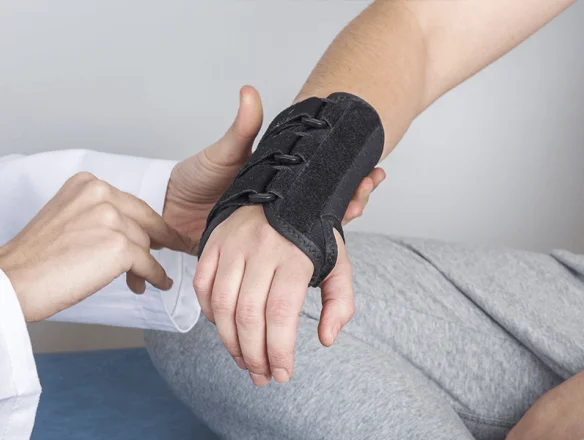
A splint can help, especially at night, by keeping the wrist straight and easing pressure on the nerve. Wearing a rigid brace while typing can feel awkward, so most people do better with a better setup during the day. OINJ’s wrist tendonitis guide also lists a splint or brace as a helpful work adjustment.
When to Reach Out to the Orthopedic Wrist Specialists at OINJ
Mild soreness that fades with rest and better ergonomics usually isn’t a cause for concern. Pain that sticks around or comes with nerve symptoms deserves a professional look, since early treatment often keeps the problem from getting worse.
Schedule an evaluation if you notice any of the following:
- Pain that lasts more than a couple of weeks even after setup changes and breaks
- Numbness or tingling in your fingers, especially at night
- Weakness in your grip or trouble holding objects
- Swelling, a visible lump, or limited wrist motion
- Pain that interferes with work, sleep, or daily tasks
An orthopedic specialist can pinpoint the cause and build a treatment plan that fits your work and daily routine.
OINJ treats a full range of hand and wrist conditions, from tendonitis to carpal tunnel syndrome. Treatment may include splinting, hand therapy, anti-inflammatory medication, injections, or surgery when other options don’t bring relief. If wrist pain is interfering with typing, work, or daily activities, schedule a visit with OINJ’s hand and wrist specialists and get back to work comfortably.

OINJ PHYSICIAN’S ADVICE
Excessive computer use can both exacerbate and also cause tendinitis, carpal tunnel syndrome, and even cubital tunnel syndrome. It is important to be evaluated by the hand team at OINJ for the correct diagnosis and treatment. We can offer many conservative treatments and can discuss ways to mitigate recurrence.
Christian J. Zaino, MD
Orthopedic Surgeon at OINJ
Physicians & Assistants


Related News & Insights


What Is a Digital Mucous Cyst? What That Bump Near Your Fingernail Could Really Mean?
![woman putting bandage over bump on finger]()

Blog
Dec 1, 2025
What Is a Digital Mucous Cyst? What That Bump Near Your Fingernail Could Really Mean?
Read More
Dec 1, 2025
Broken Wrist Recovery: Distal Radius Fracture Healing Tips and What to Expect
![]()

Blog
Jul 17, 2025
Broken Wrist Recovery: Distal Radius Fracture Healing Tips and What to Expect
Read More
Jul 17, 2025